Generate code faster than you think possible, even if you use just a handful of the features in Visual Assist. As you become a proficient user, write and update code even faster.
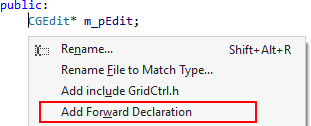
Add Forward Declaration
In C/C++, quickly make an unknown symbol known.
Add a forward declaration for a referenced symbol, e.g. a pointer to a class, from your current location.
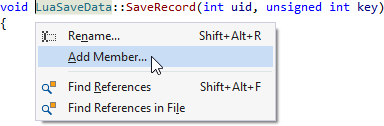
Add Member
Quickly add a method or member variable to a class.
Add a method or member variable to a class from any reference to the class, without interrupting your normal flow.
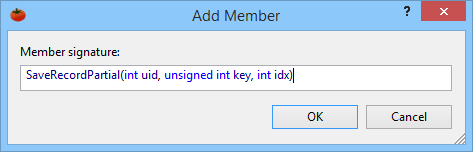
Specify the signature of the new method or member variable in the dialog that opens.
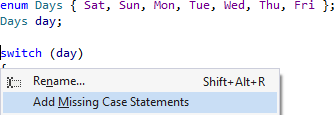
Add Missing Case Statements
Easily expand a switch statement to consider all values of an enum.
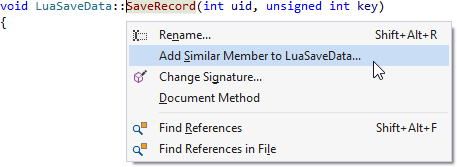
Add Similar Member
Easily create a member in a class similar to an existing member.
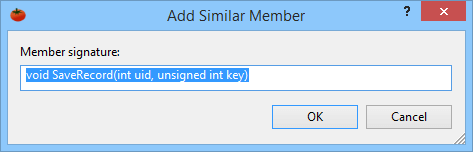
Open a refactoring menu from any reference to create a member in a class similar to the existing reference. This style of top-down programming doesn't interrupt your flow.
Specify the name of the new member, and modify its signature if necessary.
Add Using Directive
In C#, reference a common .NET type, and Visual Assist suggests adding the appropriate Using directive. Unlike with the like-named IDE feature, the directive appears as a suggestion; there is no need to expand a smart tag.
Add include Directive
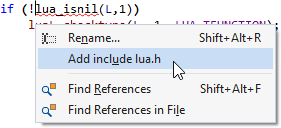
In C/C++, quickly add a directive to the current file to make a symbol known.
Add a #include directive for any symbol known in the project, solution, system, or 3rd party libraries. Visual Assist inserts the appropriate directive, adjacent to other directives near the top of the active document, without moving your position.
Add/Remove Braces
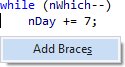
Quickly add braces to convert a simple statement to a compound statement, or remove braces from a one-line compound statement to make it a simple statement. Assign a shortcut to toggle braces.
Create Declaration
In C/C++, quickly create a declaration from the implementation of any method.
Create the declaration of a method that has only an implementation. Visual Assist automatically places the declaration in the corresponding header file, near the declarations of neighboring methods. Types, return values, and parameters are consistent between header file and source file.
Create File
Create files in your project quickly and easily.
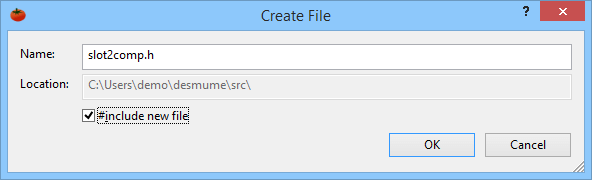
Create a file in the same directory as the active document, and have the file automatically added to its project. Define the initial content of new files with a VA Snippet. In C/C++, invoke the command a second time to automatically create a header file, and have it included in a new source file.
Create from Usage
Introduce a symbol without interrupting your flow.
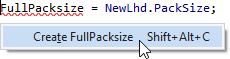
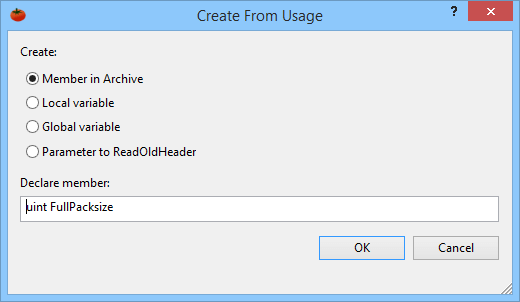
Type the name of an undefined symbol, and open a refactoring menu to introduce the symbol without leaving your current position. This top-down style of development works for many targets, including enums, variables, functions, and methods.
Tell Visual Assist what target to create in the dialog that opens.
Create Implementation
In C/C++, quickly create an implementation from any declaration.
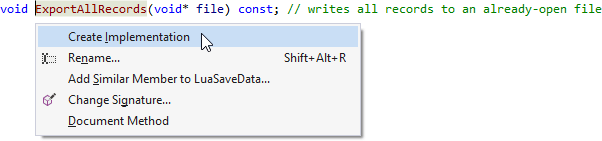
Create the implementation of a symbol that has only an declaration, and Visual Assist automatically places the implementation in the corresponding source file, near the implementations of neighboring symbols. Types, return values, and parameters are consistent between header file and source file.
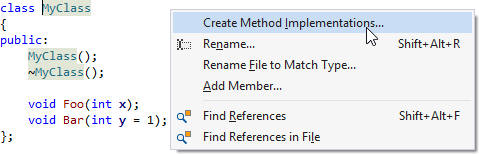
Create Method Implementations
In a single step in C/C++, create implementations of all methods in a class.
Declare a class, then in a single step, create implementations of all of its methods. Declarations and implementations are consistent between headers file and source files. Existing implementations are not overwritten or recreated.
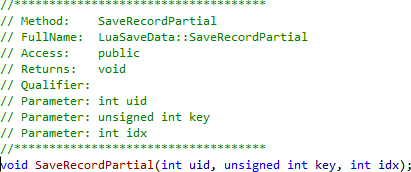
Document Method
Quickly add comment blocks before methods.
Add a comment block prior to a method, using a format defined by a VA Snippet. Reserved strings in the VA Snippet automatically expand for parameters and return value, so the components are commented on separate lines.
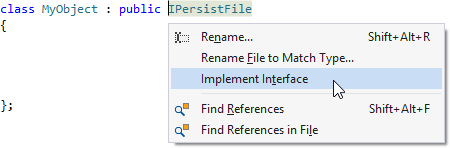
Implement Interface / Virtual Methods
Quickly generate the stubs for an interface or the virtual methods of a base class.
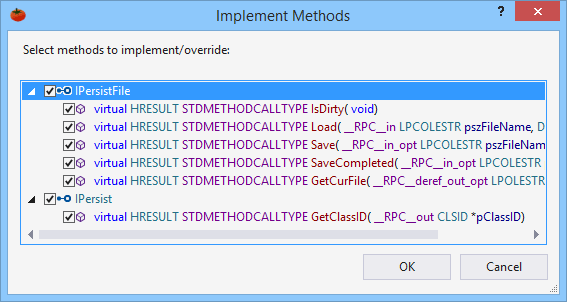
Implement methods from a single inherited interface or class by opening the refactoring menu when the text caret is on an inherited object. Implement methods from all inherited objects by opening the refactoring menu from the name of the current class.
Select the methods to implement in the dialog that opens.
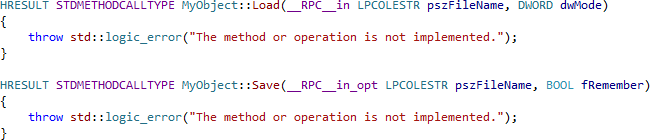
Visual Assist creates empty stubs for definitions.
n C/C++, Visual Assist also creates declarations.
If you want to discuss Visual Assist further and how it can help your company Contact Us.